 Outpost Docs
Managing Tenants & Projects
Create tenants and projects, issue API keys, and configure compliance and webhooks from the dashboard.
Long term Tenant management will be handled by Drive Core V2 platform and Outpost will just associate configuration with that Tenant. But at the time of the initial rewrite, said functionality wasn't ready.
Ideally the Drive Core v2 Directory Service would also be in charge of authentication.
Everything an administrator does to onboard and configure a customer happens under Tenants in the dashboard. The hierarchy matches the platform model: a tenant contains projects, and each project has its own API keys, compliance settings, and webhook configurations. See Tenants & Projects for the concept itself.
The Tenants page
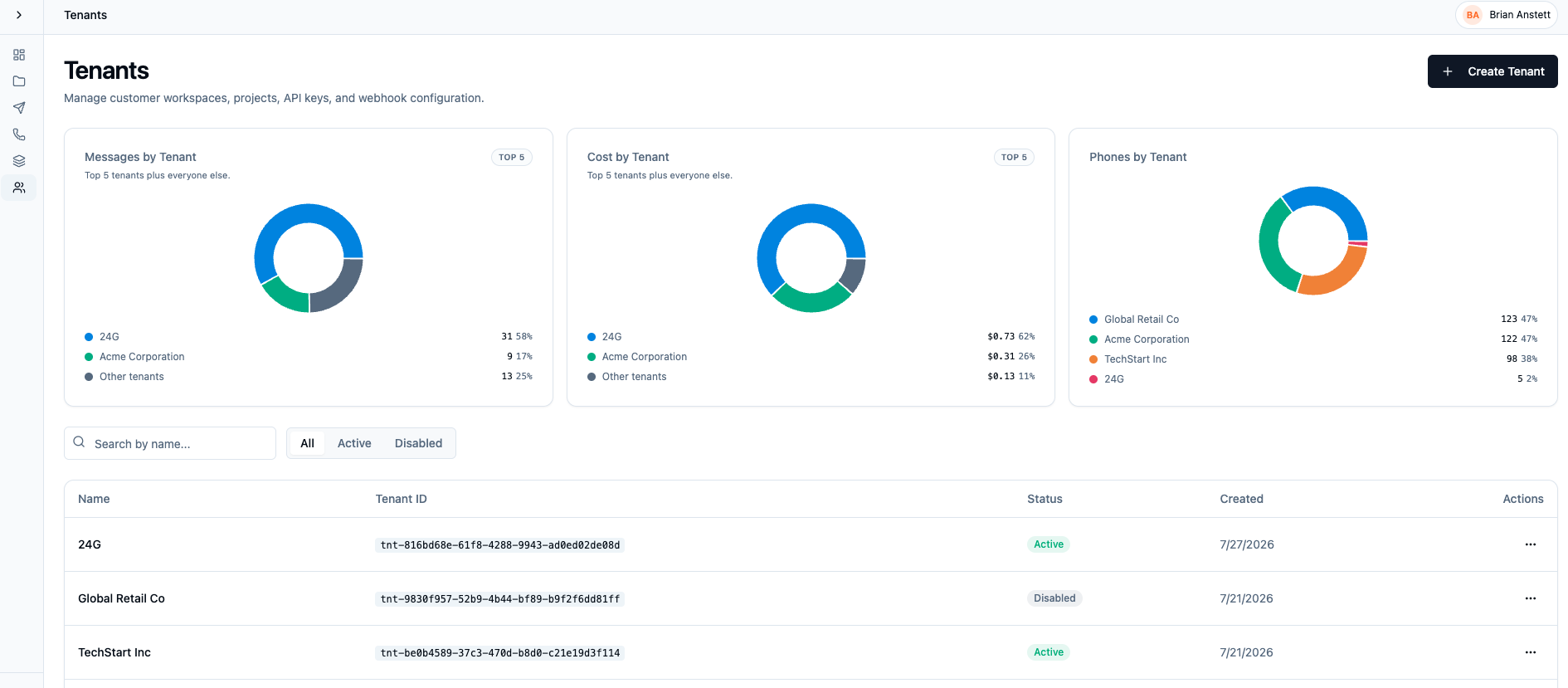
The landing page shows how messages, cost, and phones are distributed across tenants, plus a searchable table of every tenant with its status. From here you can:
- Create a tenant with the button in the top right.
- Filter by name or by Active/Disabled status.
- Open a tenant by clicking its row.
Inside a tenant
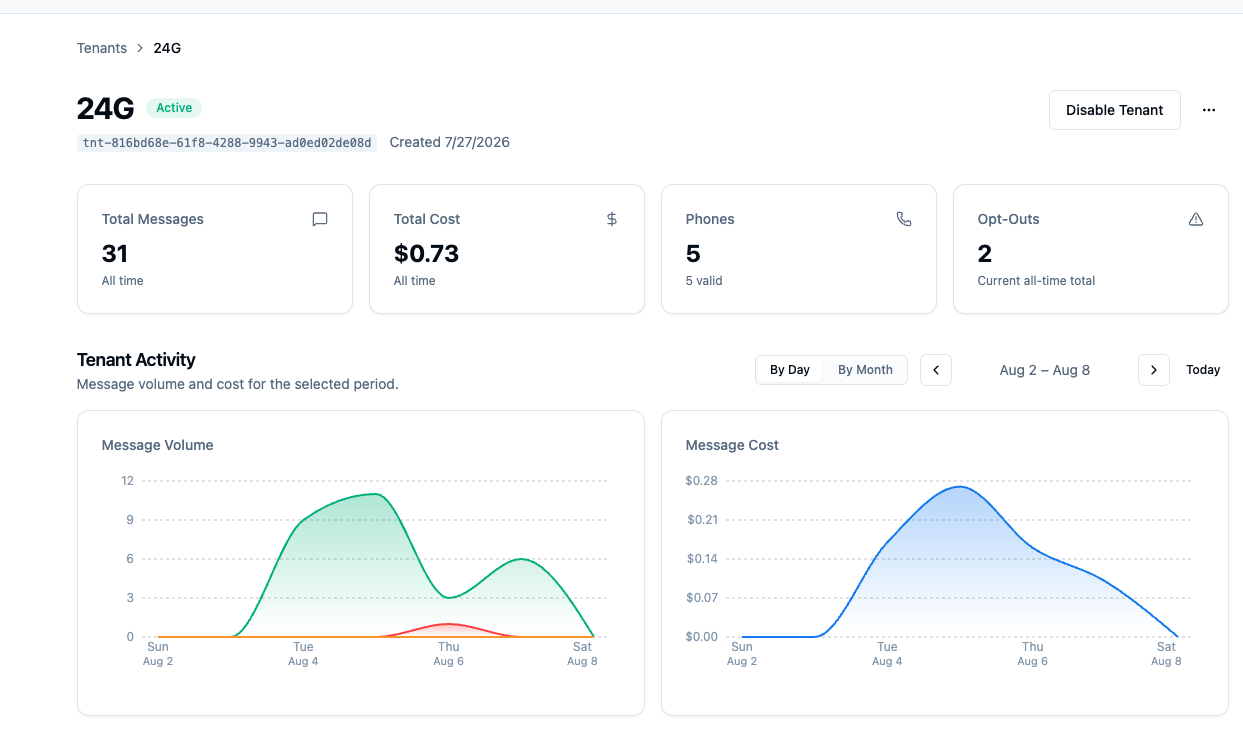
A tenant's page shows its all-time totals (messages, cost, phones, opt-outs), activity charts, and recent sends. The Disable Tenant button suspends the tenant, which blocks its API keys from sending.
At the bottom you'll see Send Activity for recent Communications and Campaigns for the given tenant along with the Projects table, with each project's status and how many webhook configurations it has:
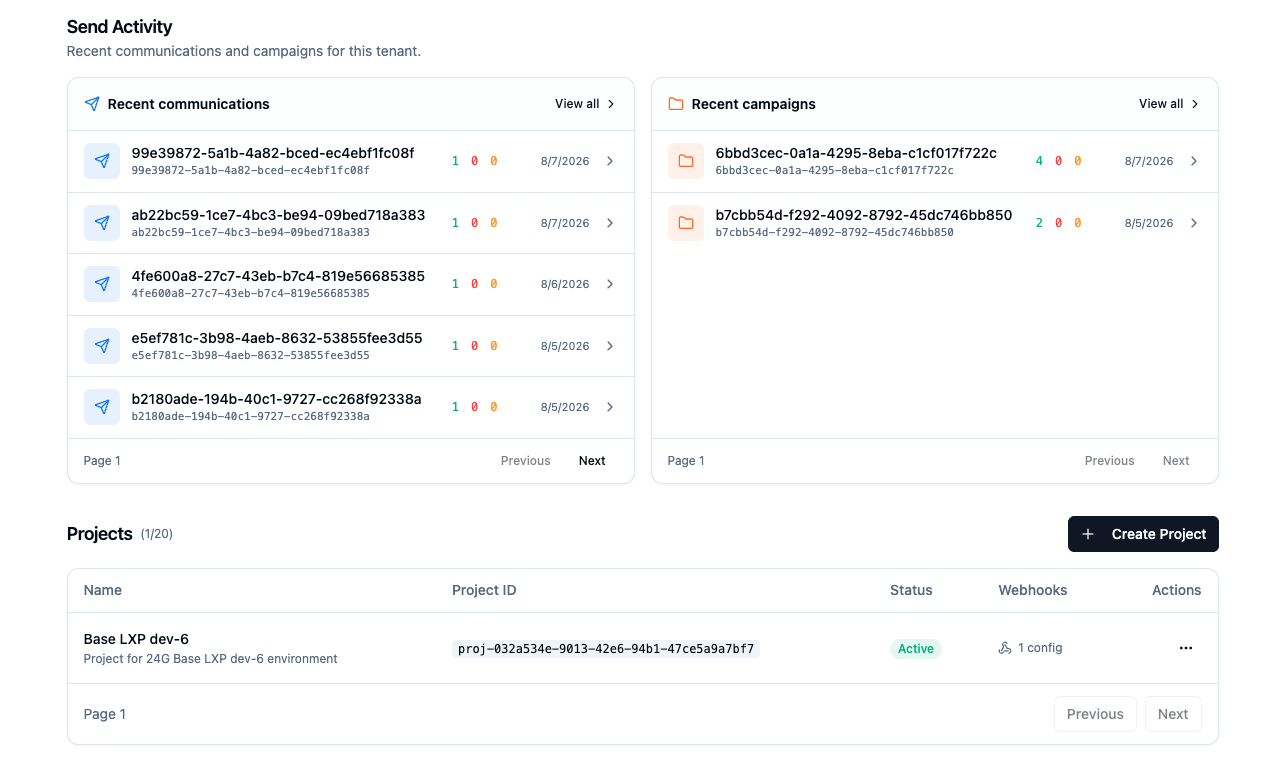
Tenants are limited to 20 projects. Create Project adds one; clicking a row opens it.
Inside a project
A project page repeats the stats and activity views scoped to that project,
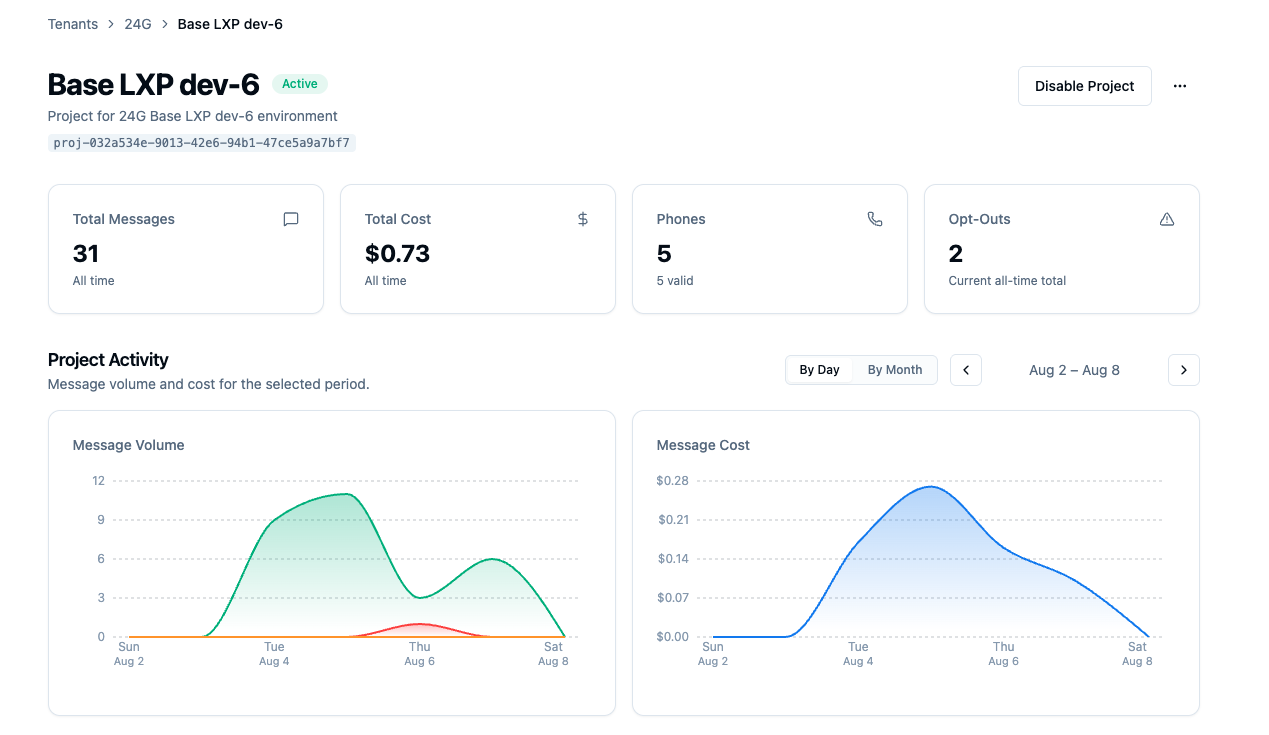
then gets to the three things you actually configure:
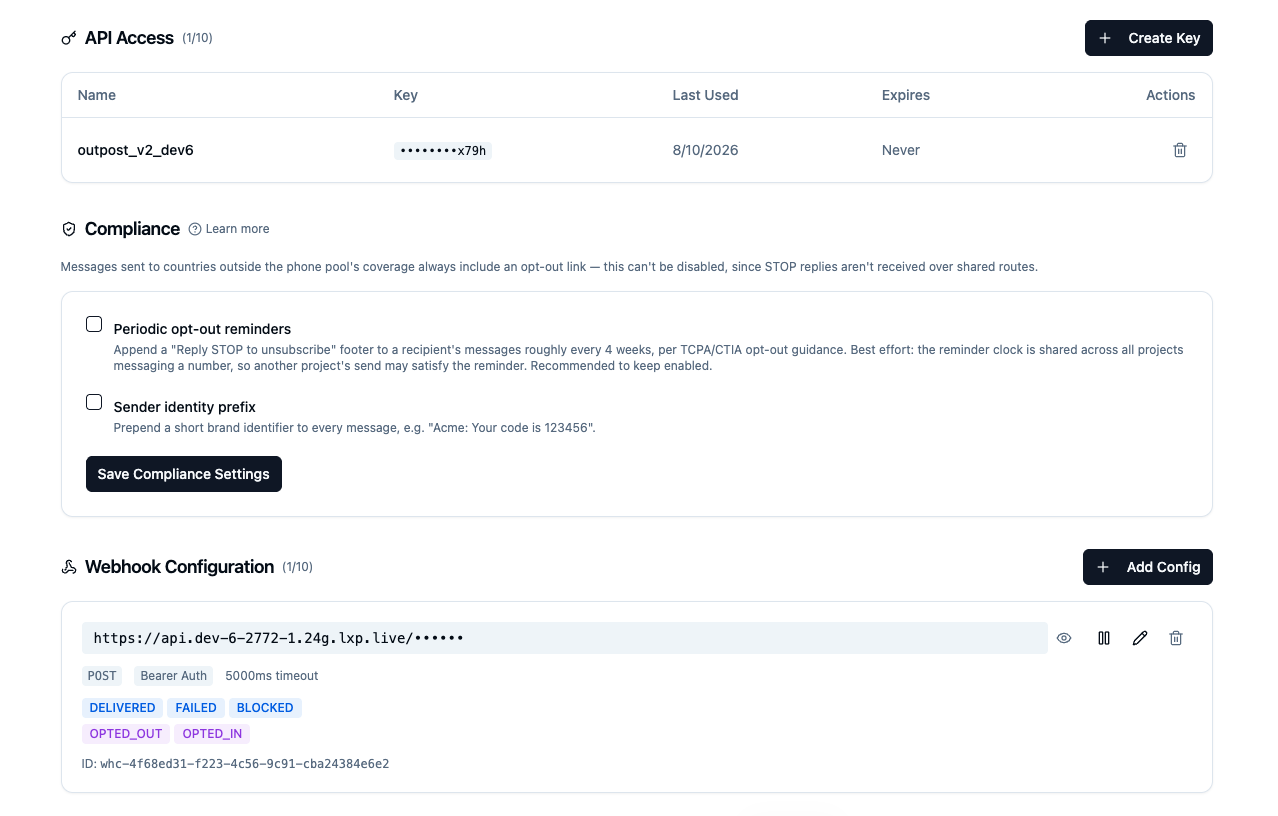
API Access
Each project can have up to 10 API keys. The table shows each key's name, a masked value, when it was last used, and its expiry. Create Key shows the plaintext key once, at creation time; after that only the masked form is visible, so copy it immediately. The trash icon revokes a key.
Keys created here are tenant-scoped. See API Keys & Authentication for how scoping and roles work.
Compliance
Two per-project compliance toggles, both explained in depth in Messages:
- Periodic opt-out reminders: appends a "Reply STOP to unsubscribe" footer roughly every 4 weeks per recipient, following TCPA/CTIA guidance. The reminder clock is shared across all projects messaging a number, so another project's send may satisfy the reminder. Recommended to keep enabled.
- Sender identity prefix: prepends a short brand identifier to every message, for example "Acme: Your code is 123456".
Messages sent to countries outside the phone pool's coverage always include an opt-out link; that cannot be disabled, because STOP replies are not received over shared routes.
Webhook Configuration
Each project can have up to 10 webhook configurations. Each one shows its destination URL, HTTP method, auth mode, timeout, and the event types it subscribes to (for example DELIVERED, FAILED, BLOCKED, OPTED_OUT, OPTED_IN). The row controls let you pause, edit, or delete a configuration.
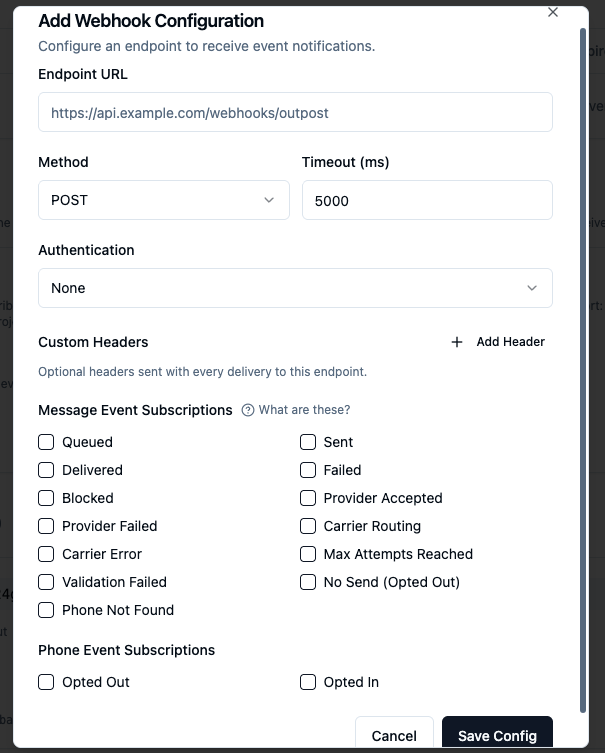
See Webhooks for delivery semantics, retries, and payload shape.